 DaVinciDreams
टेक्स्ट से वीडियो AI
अपने शब्दों को शानदार वीडियो में बदलें। विवरण टाइप करें, स्टाइल चुनें, और देखें कैसे AI आपके टेक्स्ट को प्रोफेशनल वीडियो कंटेंट में बदल देता है।
 टेक्स्ट से वीडियो — मुफ्त में आज़माएं
Text-to-Video AI कैसे काम करता है
Text-to-video AI लाखों वीडियो क्लिप्स पर प्रशिक्षित डीप न्यूरल नेटवर्क्स का उपयोग करता है ताकि भाषा और विज़ुअल मोशन के बीच के संबंध को समझ सके। जब आप एक प्रॉम्प्ट टाइप करते हैं जैसे
सिंगल क्लिप्स से आगे: पूरी फ़िल्म असेंबली
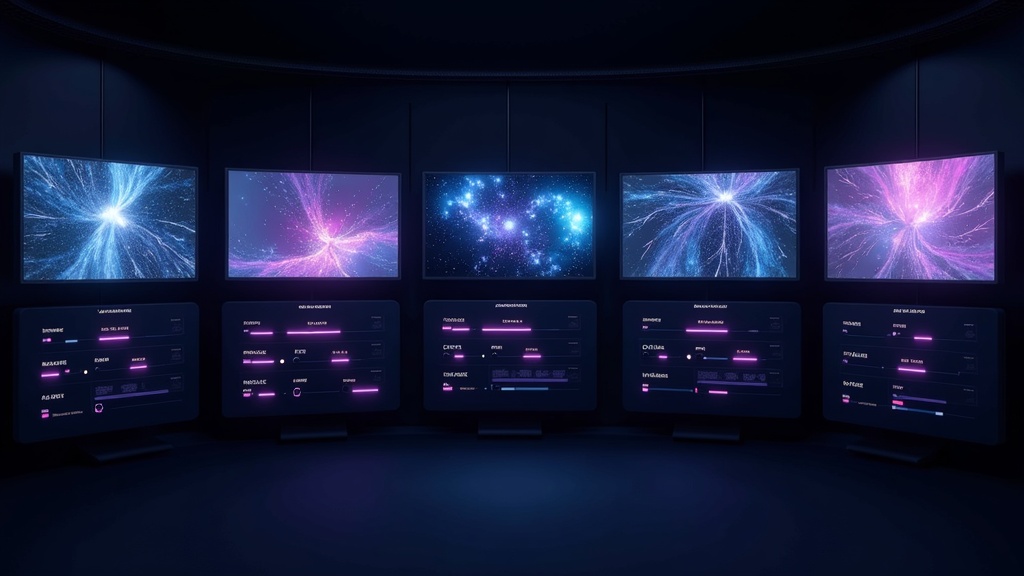
ज़्यादातर text-to-video टूल्स अलग-अलग क्लिप्स जनरेट करते हैं। DaVinciDreams इससे आगे जाकर उन क्लिप्स को पूरी फ़िल्मों में असेंबल करता है। प्लेटफ़ॉर्म सिर्फ़ वीडियो ही नहीं बल्कि मैचिंग वॉइसओवर नैरेशन, बैकग्राउंड म्यूज़िक, साउंड इफ़ेक्ट्स और टेक्स्ट ओवरले भी जनरेट करता है — सब आपके मूल टेक्स्ट विवरण से। मल्टी-ट्रैक Timeline एडिटर आपको सबकुछ फ़्रेम-एक्यूरेट प्रिसीज़न के साथ अरेंज करने देता है। किसी सीन ट्रांज़िशन से मैच करने के लिए वॉइसओवर की टाइमिंग एडजस्ट करें। डायलॉग के नीचे एम्बिएंट साउंड लेयर करें। एस्टैब्लिशिंग शॉट के दौरान म्यूज़िक फ़ेड इन करें। यही अंतर है text-to-video टूल और text-to-film प्लेटफ़ॉर्म में: आपको तैयार, देखने लायक वीडियो मिलता है, कच्ची क्लिप्स नहीं जिन्हें कहीं और असेंबल करना हो।
यह कैसे काम करता है
अपना विवरण टाइप करें
लिखें कि आप क्या देखना चाहते हैं। सर्वोत्तम परिणामों के लिए सेटिंग, लाइटिंग, कैमरा एंगल और मूड के बारे में डिटेल्स शामिल करें।
अपना मॉडल चुनें
Kling, Sora, Hunyuan या अन्य वीडियो मॉडल्स में से चुनें। जनरेट करने से पहले प्राइसिंग और क्वालिटी तुलना देखें।
प्रीव्यू और एडिट करें
रियल-टाइम प्रीव्यू में जनरेटेड वीडियो देखें। प्रॉम्प्ट्स रिफ़ाइन करें, रीजनरेट करें, ट्रिम करें और अपना फ़ाइनल वीडियो एक्सपोर्ट करें।
मुख्य विशेषताएं
किसके लिए है?
सोशल मीडिया क्रिएटर्स
ट्रेंडिंग टॉपिक्स को मिनटों में आकर्षक वीडियो कंटेंट में बदलें। फ़िल्मिंग की ज़रूरत नहीं — बस टाइप करें और पब्लिश करें।
एजेंसियाँ
क्लाइंट पिच और कैंपेन प्रीव्यूज़ के लिए तेज़ी से वीडियो कॉन्सेप्ट्स और स्टोरीबोर्ड विज़ुअलाइज़ेशन बनाएँ।
ई-कॉमर्स
प्रोडक्ट डिस्क्रिप्शन से प्रोडक्ट शोकेस वीडियो, लाइफ़स्टाइल सीन्स और प्रमोशनल क्लिप्स जनरेट करें।
अक्सर पूछे जाने वाले प्रश्न
टेक्स्ट को वीडियो में कैसे बदलें?
बस DaVinciDreams में अपना वीडियो विवरण टाइप करें। AI मॉडल और विजुअल स्टाइल चुनें, फिर जनरेट पर क्लिक करें। AI आपके विवरण से मैच करने वाली वीडियो क्लिप बनाता है। आप किसी भी सीन को एडिट, एक्सटेंड या री-जनरेट कर सकते हैं।
सबसे अच्छा टेक्स्ट-से-वीडियो AI मॉडल कौन सा है?
यह आपकी जरूरत पर निर्भर करता है। Kling 2.6 सबसे अच्छा क्वालिटी-टू-प्राइस रेशियो प्रदान करता है। Sora 2 फोटोरियलिस्टिक सीन में बेहतरीन है। Hunyuan सबसे सस्ता विकल्प है। DaVinciDreams सभी मॉडल की तुलना करने देता है।
क्या मैं टेक्स्ट-से-वीडियो AI मुफ्त में इस्तेमाल कर सकता हूं?
हां! DaVinciDreams प्रति माह 50 इमेज और ऑडियो जनरेशन के साथ फ्री टियर प्रदान करता है। वीडियो जनरेशन Hunyuan Fast के साथ $0.03 प्रति क्लिप से शुरू होता है। आप अपनी API कीज भी इस्तेमाल कर सकते हैं।
क्या मैं टेक्स्ट-से-वीडियो में वॉइसओवर जोड़ सकता हूं?
हां। DaVinciDreams ElevenLabs या OpenAI TTS का उपयोग करके आपके वीडियो के साथ AI वॉइसओवर नैरेशन जनरेट करता है। आप AI-जनरेटेड बैकग्राउंड म्यूजिक और साउंड इफेक्ट्स भी जोड़ सकते हैं — सब कुछ आपके मूल टेक्स्ट विवरण से।
सबसे अच्छा मुफ्त टेक्स्ट-से-वीडियो AI कौन सा है?
DaVinciDreams सबसे पूर्ण मुफ्त विकल्प प्रदान करता है: प्रति माह 50 इमेज और ऑडियो जनरेशन, पूर्ण मल्टी-ट्रैक टाइमलाइन, और Hunyuan Fast के साथ $0.03/क्लिप पर सबसे सस्ती वीडियो जनरेशन। कोई अन्य टूल मुफ्त जनरेशन को प्रोफेशनल एडिटिंग के साथ नहीं जोड़ता।