 DaVinciDreams
2026 का बेस्ट AI वीडियो जनरेटर
2026 के हर प्रमुख AI वीडियो जनरेटर की तुलना करें — Kling, Sora, Hunyuan, Veo, FLUX और 50+ — सब एक प्लेटफॉर्म पर पारदर्शी प्राइसिंग और क्वालिटी प्रीव्यू के साथ।
 सभी मॉडल कंपेयर करें — मुफ्त शुरू करें
टॉप AI वीडियो जनरेटर्स की तुलना
2026 में AI वीडियो जनरेशन का क्षेत्र भरा हुआ है — Kling 2.6, Hunyuan, Pika 2.2, Luma Ray 3, Seedance, Vidu, LTX और दर्जनों और। हर मॉडल की ताकत है: Kling कैरेक्टर कंसिस्टेंसी और मल्टी-शॉट सीन्स में बेहतर है। Hunyuan सबसे कम कीमत पर सबसे तेज़ जनरेशन देता है। Pika मज़बूत कैमरा कंट्रोल के साथ स्टाइलाइज़्ड, क्रिएटिव आउटपुट बनाता है। हर सीन के लिए सही मॉडल चुनना आधी जीत है। DaVinciDreams सभी प्रमुख मॉडल्स को एक ही प्लेटफ़ॉर्म में इंटीग्रेट करके यह समस्या हल करता है। विस्तृत स्पेक्स के साथ पूरी मॉडल रजिस्ट्री ब्राउज़ करें: रिज़ॉल्यूशन, ड्यूरेशन, प्रति जनरेशन कॉस्ट, सपोर्टेड फ़ीचर्स (कैमरा कंट्रोल, लिप सिंक, कैरेक्टर रेफ़रेंस, कीफ़्रेम्स) और क्वालिटी बेंचमार्क्स। क्षमता से फ़िल्टर करें, कीमत से सॉर्ट करें, या प्लेटफ़ॉर्म को आपके सीन की आवश्यकताओं के लिए सबसे अच्छा मॉडल रेकमेंड करने दें। सात अलग-अलग सर्विसेज़ के लिए साइन अप करने और सात अलग API मैनेज करने के बजाय, एक इंटरफ़ेस से एक बैलेंस या अपनी API कीज़ के साथ सब एक्सेस करें।
मल्टी-मॉडल एक्सेस क्यों जीतता है
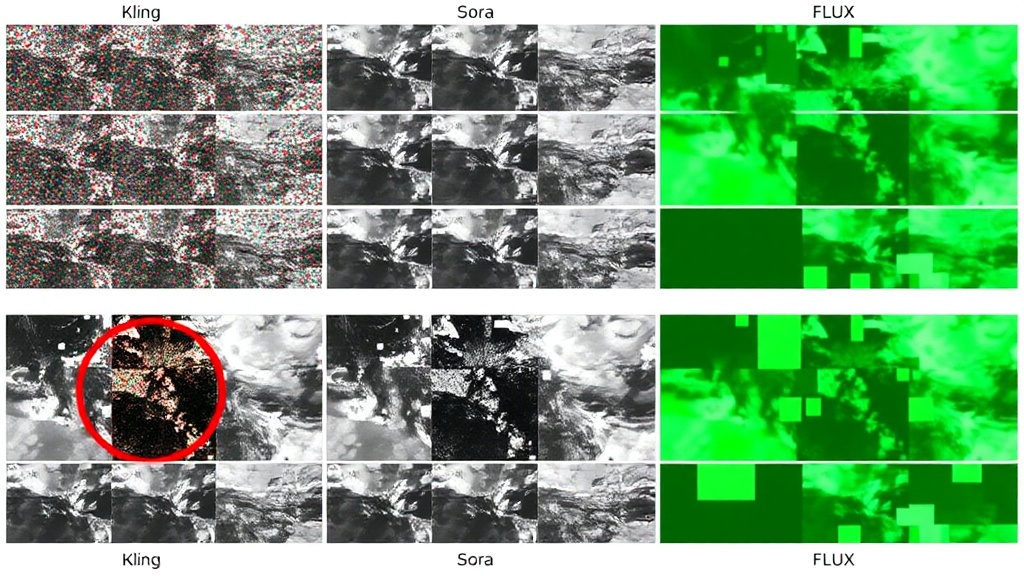
कोई भी अकेला AI मॉडल सबमें बेस्ट नहीं है। Kling शायद बेस्ट कैरेक्टर क्लोज़-अप्स बनाए, लेकिन Hunyuan लैंडस्केप्स तेज़ और सस्ते रेंडर करता है। Pika आपकी चाही विज़ुअल स्टाइल नेल करे, लेकिन Luma कॉम्प्लेक्स कैमरा मूवमेंट्स बेहतर हैंडल करे। पारंपरिक वर्कफ़्लो में, आपको कई प्लेटफ़ॉर्म्स पर अकाउंट्स चाहिए, हर एक अपने इंटरफ़ेस, प्राइसिंग और सीमाओं के साथ। DaVinciDreams यह घर्षण खत्म करता है। अपने डायलॉग सीन्स के लिए Kling, एस्टैब्लिशिंग शॉट्स के लिए Hunyuan, और ड्रीम सीक्वेंस के लिए Pika इस्तेमाल करें — सब एक ही प्रोजेक्ट में, एक ही Timeline पर, एक ही एडिटिंग टूल्स के साथ। प्लेटफ़ॉर्म की मॉडल रजिस्ट्री आपकी करेंसी में रियल-टाइम प्राइसिंग दिखाती है, डायरेक्ट API एक्सेस के लिए BYOK सपोर्ट करती है, और एडिटर छोड़े बिना प्रति सीन मॉडल स्विच करने देती है। AI वीडियो टूल्स का मूल्यांकन करने वालों के लिए, DaVinciDreams एकमात्र प्लेटफ़ॉर्म है जहाँ आप हर प्रमुख मॉडल को एक वास्तविक प्रोडक्शन संदर्भ में टेस्ट कर सकते हैं, सिर्फ़ अलग-थलग जनरेशन डेमो में नहीं। सबको ट्राई करें, रिज़ल्ट्स तुलना करें, और असली प्रोजेक्ट आउटपुट के आधार पर अपने फ़ेवरिट चुनें।
यह कैसे काम करता है
मॉडल्स की तुलना करें
50+ AI मॉडल्स के साथ पूरी मॉडल रजिस्ट्री ब्राउज़ करें। क्षमता, रिज़ॉल्यूशन, कॉस्ट और क्वालिटी से फ़िल्टर करें। हर मॉडल के विस्तृत स्पेक्स देखें।
DaVinciDreams में ट्राई करें
प्लेटफ़ॉर्म में किसी भी मॉडल से सीधे टेस्ट क्लिप्स जनरेट करें। एक ही प्रोजेक्ट संदर्भ में आउटपुट साइड-बाय-साइड तुलना करें।
अपना फ़ेवरिट चुनें
एक ही प्रोजेक्ट में अलग-अलग सीन्स के लिए अलग-अलग मॉडल्स इस्तेमाल करें। बेस्ट प्राइस पर बेस्ट रिज़ल्ट पाने के लिए मिक्स और मैच करें।
मुख्य विशेषताएं
किसके लिए है?
टेक इवैल्यूएटर्स
एक प्लेटफ़ॉर्म में सभी प्रमुख AI वीडियो जनरेटर्स की तुलना करें। अलग-थलग डेमो में नहीं, वास्तविक प्रोडक्शन संदर्भ में मॉडल्स टेस्ट करें।
एजेंसी डिसीज़न-मेकर्स
अपनी टीम के लिए AI वीडियो टूल्स का मूल्यांकन करें। एक इंटरफ़ेस से हर मॉडल एक्सेस करें और वास्तविक आउटपुट क्वालिटी और कॉस्ट के आधार पर सूचित निर्णय लें।
AI उत्साही
नवीनतम AI वीडियो मॉडल्स से अपडेट रहें। नई रिलीज़ लॉन्च होते ही टेस्ट करें, मौजूदा मॉडल्स से तुलना करें, और अत्याधुनिक क्षमताओं को एक्सप्लोर करें।
अक्सर पूछे जाने वाले प्रश्न
2026 में सबसे अच्छा AI वीडियो जनरेटर कौन सा है?
यह आपकी प्राथमिकता पर निर्भर करता है। Kling 3.0 कैरेक्टर कंसिस्टेंसी में अग्रणी है। Veo 3.1 सबसे फोटोरियलिस्टिक आउटपुट देता है। Sora 2 जटिल मल्टी-सब्जेक्ट सीन में बेहतरीन है। Hunyuan Fast $0.03/क्लिप पर सबसे सस्ता है। DaVinciDreams सभी आज़माने देता है।
नए मॉडल कितनी बार जोड़े जाते हैं?
DaVinciDreams अपनी मॉडल रजिस्ट्री लगातार अपडेट करता है। पब्लिक रिलीज़ के दिनों में नए मॉडल जोड़ दिए जाते हैं। प्लेटफॉर्म अभी वीडियो, इमेज, ऑडियो और टेक्स्ट जनरेशन के लिए 50+ मॉडल प्रदान करता है।
क्या मैं प्रोजेक्ट के बीच में मॉडल बदल सकता हूं?
हां। आपके प्रोजेक्ट में हर सीन, क्लिप या प्रॉम्प्ट अलग AI मॉडल इस्तेमाल कर सकता है। टाइमलाइन पर रिजल्ट कंपेयर करें, जो पसंद आए रखें और बाकी री-जनरेट करें — सब एक ही प्रोजेक्ट में।